THE ARCHIVE WORKSHOP · FIELD GUIDE 01
Build a Custom Omarchy Widget with Codex
Build a native market dashboard, then teach it a new trick: show the selected quote directly in your desktop bar. Follow the files, check the result, and keep a way back.
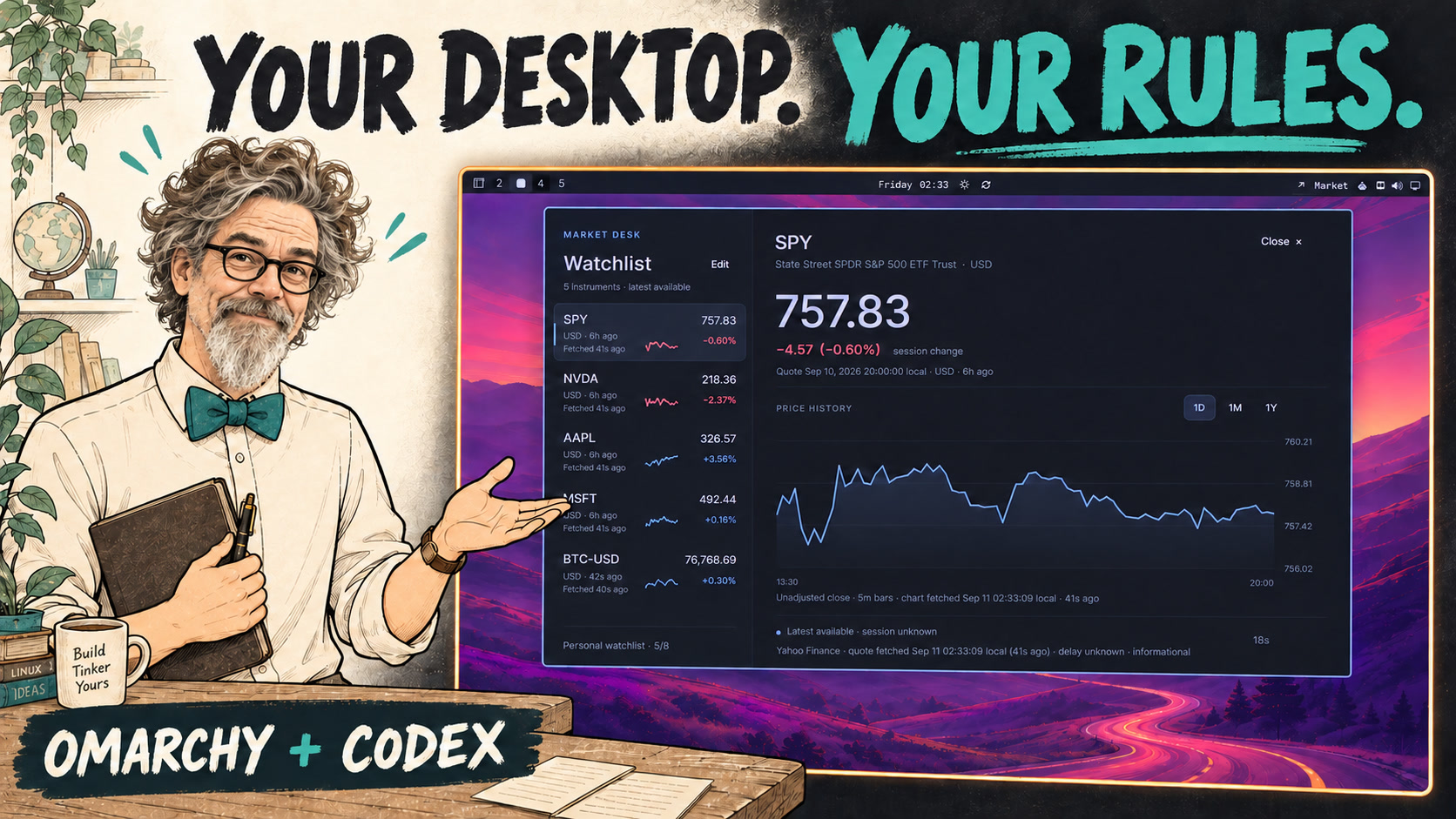
NEW FROM THE ARCHIVE WORKSHOP
Make the desktop your own
Build a custom Omarchy widget with Codex, follow the changes, and verify what actually works.
The complete build · 6:06
A recorded build, from a bounded request to desktop integration, verification, and undo.
Watch the full video on YouTube ↗The idea in 27 seconds
Close the panel. Keep the quote. See the before and after.
Watch the Short on YouTube ↗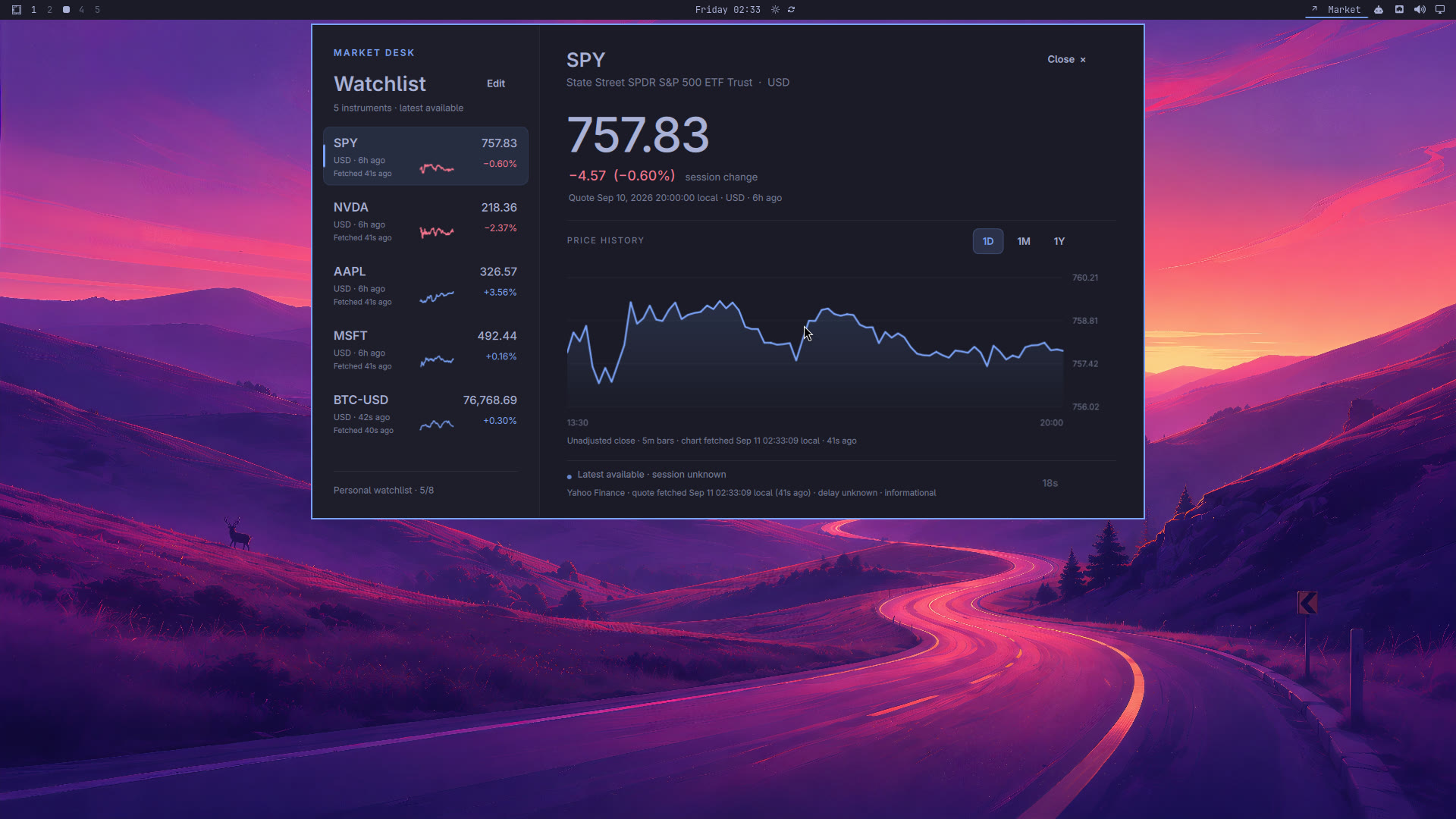
1. Start with the desktop you actually have
This companion follows our recorded Omarchy experiment. We built Market Desk as a native Quickshell plugin, inspected its implementation, and asked Codex to add a quote to the top bar. The video combines excerpts of the original build with a later source walkthrough and a newly recorded modification; the original recording was interrupted.
Use a disposable Omarchy VM or a desktop configuration you can restore. This is the Omarchy Quickshell shell/plugin interface, not a Waybar configuration. Our capture lineage used an Omarchy 4.0.2 integration lab; the source snapshot does not pin a complete installed package revision. Check your installed examples before adapting the code. Python 3 is needed by the widget; Node.js is only needed for its JavaScript tests. Codex must already be signed in.
omarchy-version
command -v python3
command -v omarchy-restart-shell
ls ~/.config/omarchyIf the shell restart command is absent, stop and inspect your installed Omarchy layout. Do not paste older shell instructions into a different desktop generation.
2. Give the agent a bounded build request
Ask Codex to inspect the installed shell examples before editing. The prompt below is an adapted follow-along brief, not a verbatim transcript. Keep authentication off any screen recording.
Inspect the installed Omarchy shell examples first. Build a separately named
aow.market-dashboard plugin with a watchlist, selected quote, and 1D/1M/1Y chart.
Use the native shell components and theme colors. Preserve my current bar
entries and back up configuration before editing.

Use Yahoo Finance's public chart endpoint as an informational example.
Display currency, source quote time, fetch time, and stale/error states.
Keep preferences separate from cached data; preserve last-good data on failure.
Use one fetch cycle, at least 60 seconds apart. Never invent missing prices.
Do not add credentials, trading, subscriptions, or a paid fallback.

Explain the files you changed. Show how to disable this widget without
deleting its source or preferences, and verify that the original layout returns.
3. Inspect the reference implementation
Download the source bundle and unpack it into a new working folder. It contains the final lesson's Widget.qml, Model.js, Python helper, manifest, supporting QML components, tests, and a file-hash manifest. It does not contain credentials, saved market data, or a complete personal shell configuration.
You can build your own version from the prompt or install the supplied reference after inspecting it. The archive contains an aow.market-dashboard directory. From the unpacked working folder, these commands copy it only if the destination does not already exist.
target="$HOME/.config/omarchy/plugins/aow.market-dashboard"
if [ -e "$target" ]; then
  echo 'Existing plugin found; compare it before making changes.'
else
  mkdir -p "$(dirname "$target")"
  cp -R ./aow.market-dashboard "$target"
fi- manifest.json registers the plugin and names Widget.qml as its bar-widget entry point.
- Widget.qml draws the panel and controls, launches the Python helper, and binds displayed values to state.
- Model.js contains formatting, selection, freshness and request-state logic.
- market.py fetches and validates provider responses and preserves preferences/cache separately.
- Chart.qml, Label.qml and Action.qml supply local presentation components.
The helper and model tests pass on the packaged source. Native rendering was verified in the recorded guest; installation on your particular desktop still needs the checks below.
4. Registering a plugin is not placing it
The manifest makes the component discoverable. A layout entry decides where it appears. In our installed layout, the new identifier was added to bar.layout.right in ~/.config/omarchy/shell.json alongside the existing entries.
Before editing, save a uniquely named copy of your current shell.json. Add the object below to the existing right-section array; this is one entry, not a replacement for the full file. If your shell.json is missing or uses a different structure, have the agent inspect the installed default layout instead of creating an empty substitute.
guide_backup=$(mktemp -d "$HOME/.config/omarchy/market-backup.XXXXXX")
cp -- "$HOME/.config/omarchy/shell.json" "$guide_backup/shell.json"
printf "Layout backup: %s\n" "$guide_backup/shell.json"

# Then add this object to the existing bar.layout.right array:
# { "id": "aow.market-dashboard" }Keep the backup path in your notes. Do not overwrite an earlier backup, remove neighboring widgets, or copy a complete shell.json from another machine.
5. Follow one request all the way through
The interface creates a request containing the selected symbol and range, starts python3 with market.py and a JSON argument, then reads the helper's JSON result. The helper requests https://query1.finance.yahoo.com/v8/finance/chart/SYMBOL and normalizes the useful fields. That is the connection between the native desktop and the external service.
Preferences remember the watchlist, selection and chart range. The cache remembers last-good responses. Both live under ~/.local/state/aow-market/. A failed fetch should keep useful cached data while visibly marking it stale. An intentionally empty watchlist must stay empty.
This is an unofficial public endpoint. It may be delayed, unavailable or rate-limited. A recent fetch is not proof of a recent market quote; compare source time and fetch time separately. No exchange real-time entitlement is claimed. The example displays information and does not place trades.
- Default watchlist: SPY, NVDA, AAPL, MSFT and BTC-USD; up to eight symbols.
- One bounded fetch cycle, at least 60 seconds between starts; no second loop for the bar.
- 1D quotes feed the session-change display. Selecting a longer chart range must not change that percentage's baseline.
- Missing or malformed prices must be unavailable, never silently treated as zero.
6. Ask for one useful change
The original widget opened a dashboard from a plain Market bar label. Our next request was to reuse its selected quote in that label. This is the new modification recorded in the episode. The reference bundle already includes it; use this prompt when experimenting with your own earlier version.
Show the selected symbol, currency, latest available price and source quote
age directly in the top bar. Reuse the dashboard's selected 1D quote and
existing refresh cycle. Keep polling while the panel is closed without
adding another timer or losing the user's saved longer chart range.
Show missing and cached data honestly. Preserve the Python helper unless
a change is actually needed, and explain the diff before restarting.
The resulting QML label calls Model.barLabel with the loaded state, watchlist, selection, quote, current time and stale flag. The existing pump requests 1D while closed and the saved chart range while open. In our verified modification, Widget.qml and Model.js changed; the Python helper stayed byte-identical.
7. Reload, then verify behavior
In the recorded guest we used omarchy-restart-shell after the edit. A plugin rescan had previously retained cached QML, so a successful rescan alone was not evidence that new code was running.
omarchy-restart-shell- Open Market Desk. Confirm that SPY has a quote, chart, currency, source time and fetch time.
- Select BTC-USD. Confirm that both the large panel value and the bar show the same selected quote.
- Close the panel. Confirm that the quote stays in the bar. Wait longer than a minute and inspect fetch times; do not mistake a repeated old quote for new market information.
- Choose 1M or 1Y, close and reopen. Confirm that the saved chart range survives.
- On a disposable test setup, try a network failure: cached data should remain with an error/stale indication. Restore connectivity and check recovery.
- Try adding/removing a symbol, then an empty watchlist; reopen and restart to check that your choices persist.
For offline checks, run the packaged tests from the plugin folder. They use temporary state and provider fixtures rather than fetching live prices. They check data handling and state transitions, not your desktop's actual rendering.
python3 -m unittest discover -s . -p 'test_*.py' -v
node test_model.cjs
8. Undo the placement, keep your work
Back up the current layout again. Remove only the aow.market-dashboard object from the bar section where you added it, then restart the shell. The entry should disappear while the plugin files and ~/.local/state/aow-market/ remain intact.
Re-add the entry and restart to bring it back. Confirm that the saved selection returns. In our recorded test the widget disappeared, returned, and retained BTC-USD. A whole-file restore is appropriate only if you intend to undo every layout change since that backup; otherwise edit just this entry.
Keep recovery local to the change. Do not delete the entire plugins directory or reset all preferences to remove one widget.
When the result differs
- Nothing appears: check the manifest identifier, entry-point filename and layout placement separately. Compare imports and components against your installed shell examples.
- Old behavior remains: check that you restarted the installed shell and that you edited the plugin directory it actually loads.
- Unavailable quote: inspect the helper's error output and provider availability. Do not insert sample prices into the live cache to make the screenshot look complete.
- A new range appears slow: the shared 60-second cycle is deliberate. An uncached range can wait until the next eligible cycle plus fetch time.
- A save fails: the UI preserves the draft. Use Retry save explicitly or Discard / reload; do not repeatedly overwrite a conflicting saved revision.
The reusable method is to find an extension point, describe one behavior, inspect the change, verify the visible consequence, and retain a way back. A project-status indicator or a service-health panel can follow the same method.
Find your place in the video
These timestamps match the approximately 6:06 cut, including its full eight-second animated introduction. The opening chapter includes the setup, so it is longer than YouTube’s ten-second minimum.
- 00:00 What we're building
- 00:25 Give Codex a bounded request
- 00:50 Register and place the widget
- 01:33 Trace the UI and market-data helper
- 02:41 Keep preferences, cache and selection separate
- 03:26 Add the selected quote to the top bar
- 04:36 Reload the actual desktop shell
- 05:00 Verify selection and closed-panel refresh
- 05:26 Undo the change and keep your state
Keep exploring
- Omarchy shell plugins — compare with the examples on your installed version.
- Omarchy top bar — layout and customization.
- Omastonk — community feasibility inspiration; no source copied into this example.
- YouTube chapters — timestamp requirements.
Understand it. Try it. Make it yours.
Return to Systems for Humans →