Systems for Humans / EP2
Who Gets To Turn the AI Off?
AI workflows are control systems, even when they look like friendly chat. Systems for Humans maps the parts you own, the parts you rent, the checkpoints that matter, and the simple off-switch test every team should run before trusting an AI workflow. Archive of Worlds: https://podcasts.spennington.dev/shows/systems-for-humans/episodes/who-gets-to-turn-the-ai-off
Listen now
Who Gets To Turn the AI Off?
Visual audiobook
Reviewed video chapters
Reviewed video chapters remain available here as a stable visual-audiobook index, with posters and playback links preserved.
Chapter / 1
Full episode video
Static GPT Image 2 field-guide cards with Steven narration and the recurring SfH CTA bumper.
Open MP4Show notes
What this episode covers
- Second Systems for Humans field guide, produced after a three-round editorial critique cycle.
- Steven approved the GPT Image 2 beat-card style and the final review cut before publication.
- The video uses 16 GPT Image 2 Systems for Humans beat cards plus the recurring Archive of Worlds CTA bumper.
- The episode-specific standing reference promoted exhaustive enumeration and mechanical antithesis checks into future SfH review practice.
- YouTube public copy is published on the separate Archive of Worlds channel: https://youtu.be/bb1Sq_Zefag
Evidence layer
Sources, notes, and transcript trail
AOW keeps the research trail beside the audio so every episode has a durable, citable home beyond the podcast feed.
Sources
Attribution trail
- production notesOpen source
Episode production package
Archive of Worlds production package
Transcript
Readable archive
Read transcript
Imagine you built an AI workflow that actually works.
Not a demo. Not a LinkedIn screenshot. A real workflow.
It drafts replies. It checks records. It routes work to the right place.
Then one morning it stops.
The model changed. The account got flagged. The service is down. Or maybe the system still runs, but now it behaves just differently enough that nobody trusts it.
That is the moment when the real question shows up.
Did you build a workflow?
Or did you rent a nervous system?
Cloud AI stays in the picture. It is useful. It gives normal people access to models and tools they could never run by themselves.
Running AI locally can still be unsafe, expensive, or brittle.
The useful question is more practical:
Which parts of the system do you need to own, which parts are safe to rent, and who has the authority to stop the workflow before it does something real?
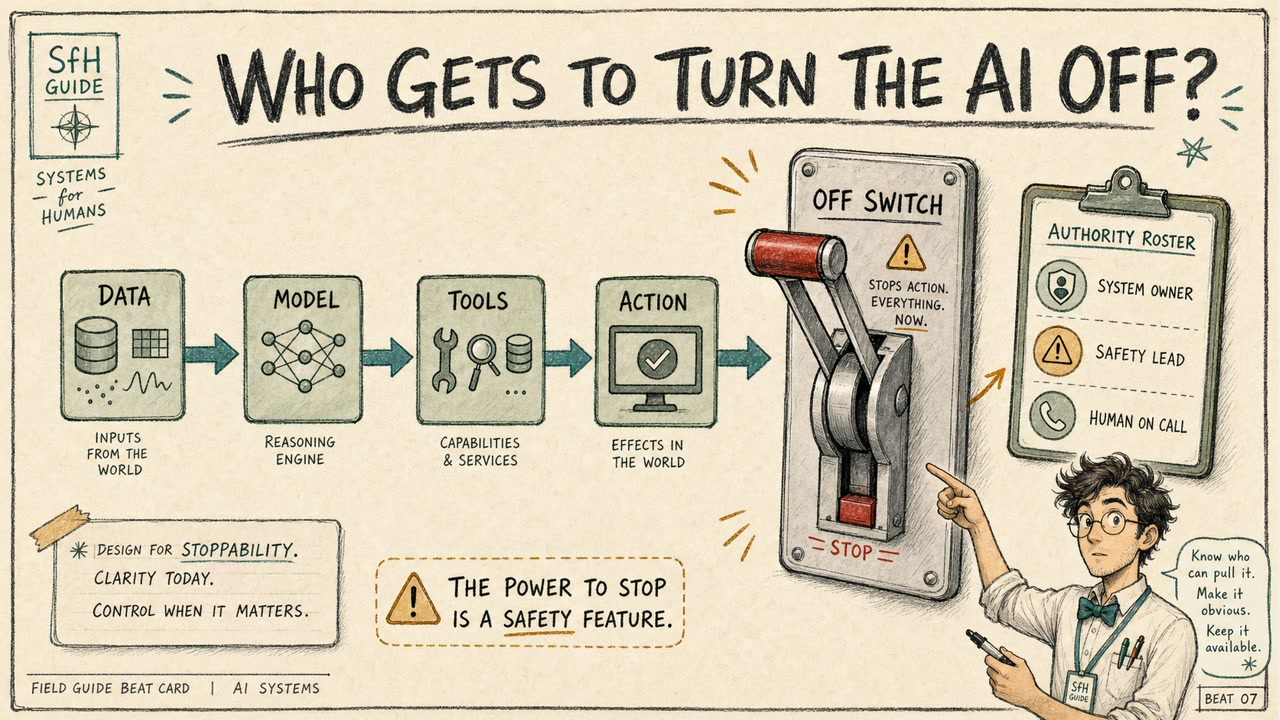
Every AI workflow has a control map, whether you draw it or not.
There is the model.
There is the place the model runs.
There is the data you send into it.
There are tools, permissions, logs, bills, approval steps, and fallback paths.
When AI is only answering a casual question, you can ignore some of that. If the answer is bad, you shrug and move on.
But when AI becomes part of real work, the map matters.
If it can touch a customer record, open a pull request, or prepare a refund, the workflow has crossed into system operation.
Before that system gets trusted, someone needs to know where its edges are.
Cloud AI is powerful for a reason.
You get access to frontier models without buying servers, tuning infrastructure, or building a research lab in your garage.
You get better models when the provider ships them.
You get voice interfaces, search, file handling, coding tools, admin panels, uptime engineering, and a whole product surface wrapped around the model.
That is a big deal.
For most people, cloud AI is the reason AI is usable at all.
It also means part of the workflow lives inside someone else's system.
Someone else controls the update schedule, the account system, and the policy layer.
Someone else may also control billing, rate limits, and which features are available to which users.
Treat that as a dependency, and name it while the system is still calm.
Local AI sounds like freedom.
Sometimes it is.
If you can run a model on your own hardware or inside your own controlled environment, you may get more control over where data goes, when the system is available, what version is running, and how the workflow is audited.
For some work, that matters a lot.
Medical context. Legal documents. Customer data. Regulated environments.
Local AI still comes with chores.
Updates. Monitoring. Access control. Incident response.
And depending on what you are running, the model may be weaker, slower, less polished, or harder to integrate than the cloud option.
Owning the system means owning the maintenance.
Put that maintenance into the design before launch.
For most real teams, the answer is hybrid.
Keep the parts that require control close to you.
Use rented intelligence where it makes sense.
For example, you might keep customer records, approval logs, and durable workflow state in your own system.
You might strip or summarize sensitive context before sending anything to a cloud model.
You might use a frontier model to reason over a filtered problem or draft next steps.
Then you bring the result back into your workflow, where a human reviews the evidence before anything irreversible happens.
The job is to draw the map clearly enough that each part has a role.
Some parts of an AI workflow deserve extra control.
Sensitive data should be handled deliberately.
Cloud systems can be responsible and useful. You should still know exactly what you are sending, why you are sending it, and whether the task actually needs that much context.
Approval logs deserve care, because they are how you reconstruct what happened when something goes wrong.
Fallback instructions deserve care, because a workflow that only works when one provider is available is brittle by default.
And irreversible decisions deserve the most care.
Sending money. Deleting data. Changing permissions. Sending external messages.
Those need more than vague trust.
They need a designed checkpoint, with a real person or role assigned to it.
Other work can often go to cloud AI just fine.
Drafting.
Summarizing.
Reasoning over filtered context.
Generating a first pass that a human or controlled system will verify.
Use the cloud for a narrow lane, then make sure the lane stays narrow.
If the model only needs a clean summary, send only the clean summary.
If the task only needs public information, keep private notes out of the prompt.
If the model is drafting, keep drafting separate from sending.
Cloud AI can be a very good worker inside a narrow lane.
The lane has to be visible before the workflow starts moving.
This will matter more as AI gets easier to talk to.
The direction of travel is clear: more natural voice, smoother memory, better tools, and more work happening behind a simple conversational surface.
That is useful.
It also makes the system feel less like software and more like a collaborator.
And when software feels like a collaborator, humans naturally start trusting the surface.
The voice is smooth. The pause feels natural. The answer arrives conversationally.
But underneath that surface, there may still be routing, policy decisions, and model updates.
The friendlier the interface becomes, the more important it is to keep the control map visible.
So the design question becomes simple:
Where do you show the edge before the person acts?
The point goes beyond chat apps.
Models are moving toward tools, agents, and physical systems.
A robot policy can wait for most teams.
The direction is still obvious.
AI is moving from answering questions to taking actions.
Sometimes those actions are digital: search a database, update a ticket, send a draft to review.
Sometimes they will be physical: navigate, inspect, operate.
The more action enters the system, the less useful it is to ask, "Is the model smart?"
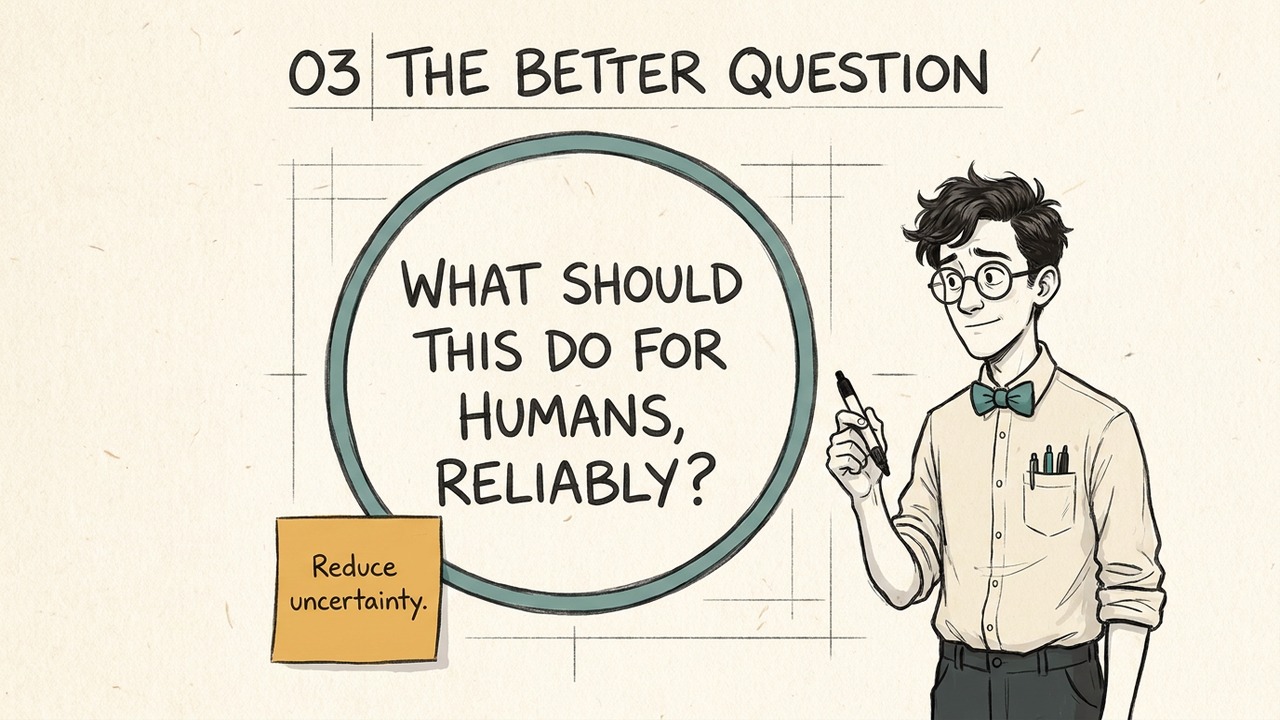
The better question is:
What can it touch?
Who gave it permission?
What happens when it is wrong?
And who gets to stop it?
Here is the simplest test for an AI workflow.
If the provider changes the model tomorrow, what happens?
If your account stops working, what happens?
If the service is unavailable for a day, what happens?
If the person who understands the setup is on vacation, what happens?
If the answer is "we stop operating," the workflow may still be acceptable.
Plenty of useful systems depend on outside providers.
But now you have found the dependency.
You can decide whether that dependency is acceptable, whether it needs a fallback, or whether the workflow is too important to hang from one switch outside your control.
Before choosing architecture, find where the real stop button already lives.
"Human in the loop" gets used like a magic safety phrase.
The useful version is concrete.
Where does the system stop?
What does the human see?
What choices does the human have?
Approve. Revise. Escalate. Cancel.
If an AI drafts an email, the checkpoint might be review before send.
If it changes code, the checkpoint might be tests and code review before merge.
If it finds a billing problem, the checkpoint might be prepare the correction and stop before issuing the refund.
The title question matters here.
Who gets to turn the AI off?
The answer depends on the consequence.
For a code workflow, it may be the engineer or reviewer who controls merge.
For customer action, it may be the support lead or operations owner.
For regulated work, it may be compliance, legal, or a licensed professional.
For personal data, it may need to be the person whose data is being used.
The role should be named before the system is under pressure.
Then the product screen can show that person the evidence they need before the action leaves the building.
Picture a support workflow with refund access.
A customer writes in: "My order never arrived."
The AI looks at shipping data, sees a delay, and recommends a refund.
That sounds reasonable.
But the order is actually a replacement shipment. The customer has two open tickets. One ticket says the first package arrived damaged. Another says the replacement is still in transit.
The refund policy is different for replacements, and the system only looked at one record.
Now imagine the checkpoint just says:
"Refund recommended."
A label like that leaves the human guessing.
The human needs the evidence.
Which order? Which shipment? Which policy? Which records were checked? What happens if we approve?
The model made a bad recommendation, but the surrounding system let it get too far.
It gave too much tool permission, showed weak evidence, and asked for approval too late.
The fix might be a narrower refund tool, better order context, a policy lookup, and a checkpoint that shows exactly why the system wants to act.
The model matters. The shape around the model matters too.
Once the off-switch test shows the dependency, use a decision frame.
Treat cloud, local, and hybrid as design choices instead of team identities.
Start with the data.
How sensitive is it, and does the model need the raw version?
Then look at the action.
Can it be reversed, or does approval need to happen before execution?
Then look at continuity.
If the model, account, or provider fails, is the fallback manual, degraded, or broken?
Finally, look at capability and maintenance.
Do you truly need the best frontier model, and can you operate the architecture you choose?
The answer is rarely one word.
Usually it is a boundary, a fallback, and a named checkpoint.
Here is the practical exercise.
Pick one AI workflow you already use, or one you want to build.
Draw five boxes.
Data.
Model.
Tools.
Human checkpoint.
Fallback.
Now write one word beside each box:
Owned.
Rented.
Or unclear.
Where is the data stored?
Where does the model run?
What tools can it touch?
Who can approve, pause, or cancel the action?
What happens if the provider changes, the account fails, or the local setup breaks?
Treat any unclear box as the next part of the map.
Rented intelligence deserves respect.
Most useful technology is rented in some form.
You rent cloud servers. You rent payment rails. You rent email delivery.
AI is joining that stack.
But keep rented intelligence separate from owned infrastructure.
Know what you control.
Know what someone else controls.
Know who has authority at the checkpoint.
And before you trust the workflow, draw the map.
Related
Continue the thread
EP1 / Jul 8, 2026
AI Agents Explained Without the Hype
A plainspoken field guide to AI agents: loops, tools, boundaries, human checkpoints, observability, and when to default to the boring workflow first.